Join Cube RP
All you need is Minecraft Java Edition 1.21.1 and a Microsoft account. Everything else is in the pack.
Cube RP
Beta Light
The city, its jobs, its economy and its police. For everyone: no illegal jobs. The pack downloads straight away, no account needed.
Server address
play.cuberp.fr:25615
Download the Light packFull beta
Adult accountThe same city, plus the illegal jobs. Adults only: you'll be asked for an adult account and your date of birth.
play.cuberp.fr
Download the full packWerewolf
The party game around a campfire: at night you close your eyes and hear the werewolves walk. You can start a game even alone: dummies fill the table.
Server address
play.cuberp.fr:25640
Download the Werewolf packInstallation guide (CurseForge)
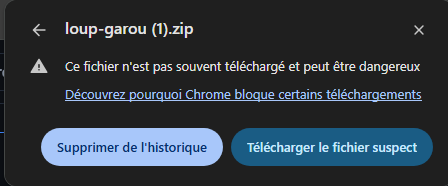
- 1Download the pack with the button above. Chrome may block it ("Suspicious download blocked"): click the alert.

- 2Then "Download suspicious file". The pack only holds two mods, nothing else.
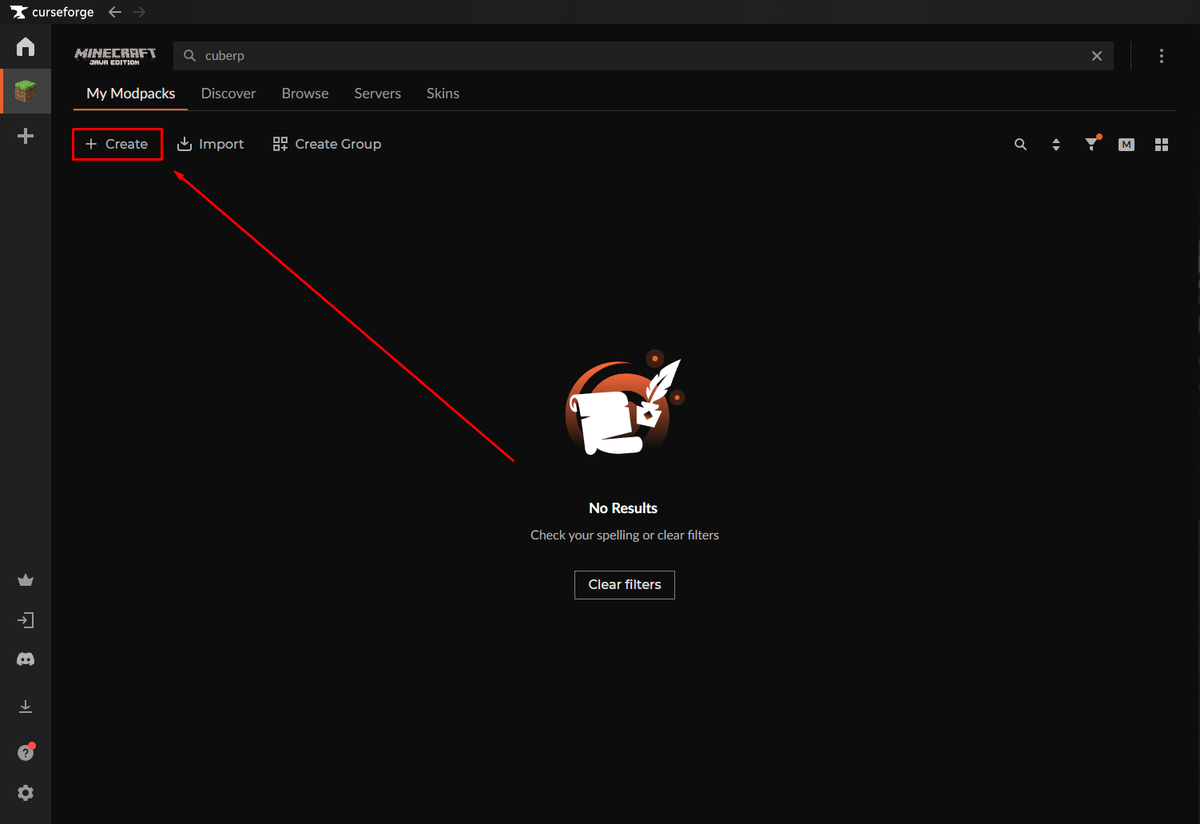
- 3In CurseForge, Minecraft tab, "My Modpacks": click "Create".
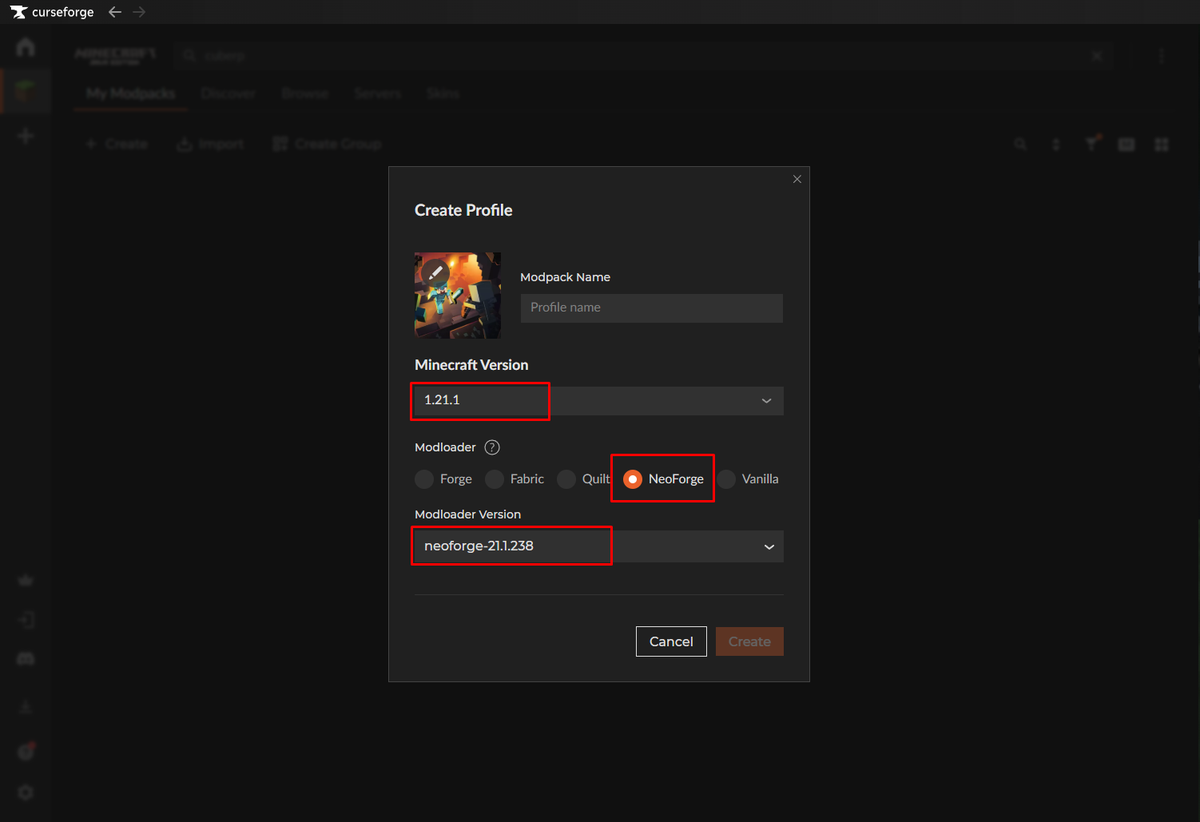
- 4Name the profile (for instance Werewolf), pick Minecraft 1.21.1 and NeoForge, keep the suggested version, then "Create".
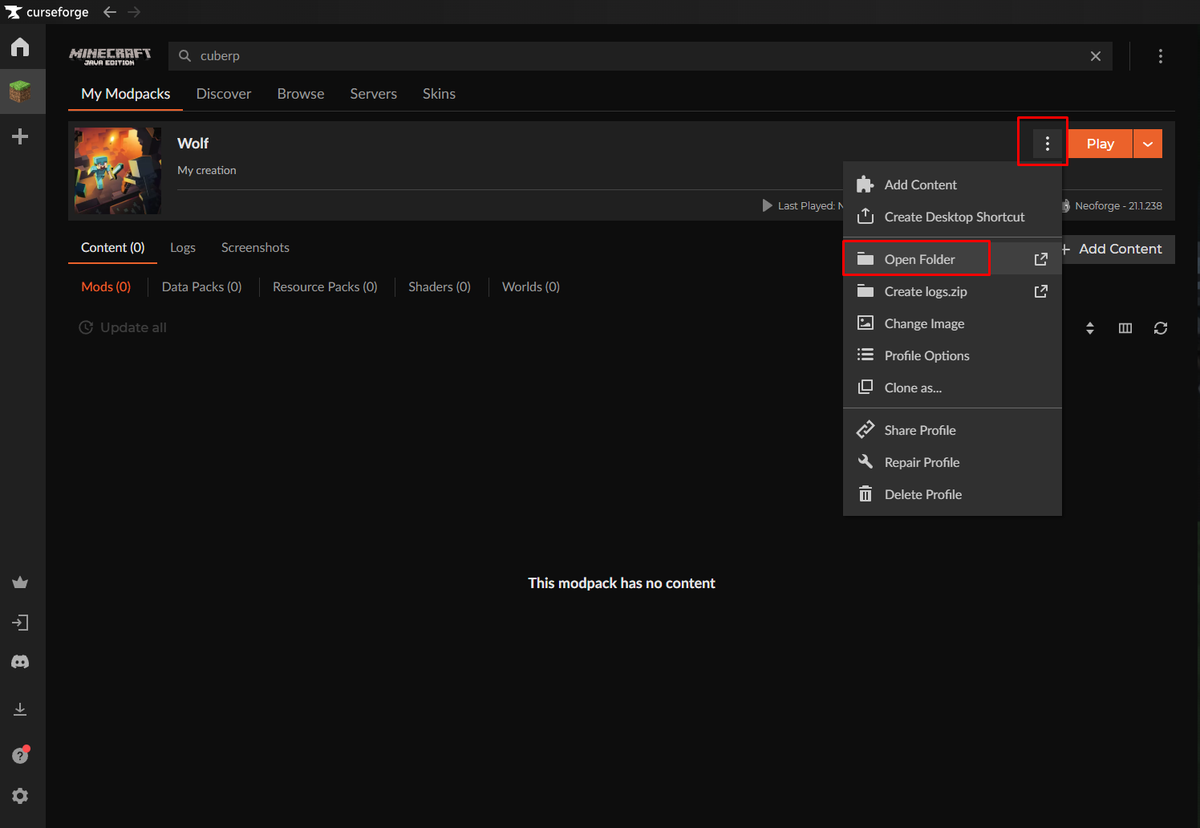
- 5On your new profile, click the three dots next to "Play", then "Open Folder".
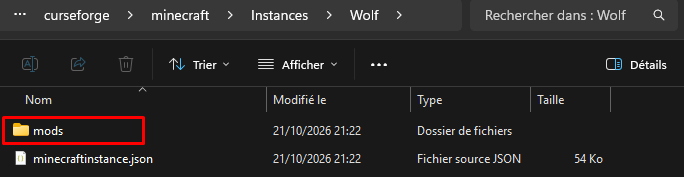
- 6In the folder that opens, go into "mods".
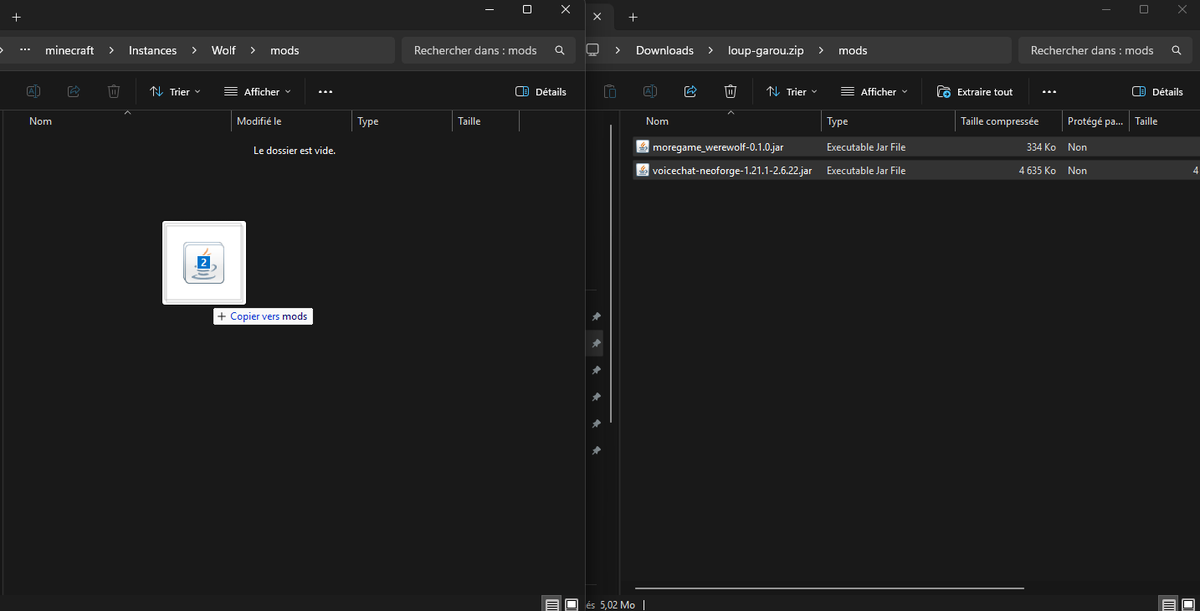
- 7Open the downloaded loup-garou.zip, go into its "mods" folder, and drag both .jar files into the profile's "mods" folder.
- 8Click "Play", then Multiplayer: "Cube RP - Loup-Garou" is already in the list. You arrive at the shelter: ring the bell to start a game.
Version 0.1.0-beta · NeoForge 21.1.235
- Step 1
Download the client pack
One archive holding the NeoForge installer and the server's mods. Nothing else to hunt down.
- Step 2
Run INSTALLER.bat
It installs NeoForge (a window opens: "Install client", then OK) and puts the mods where they belong. Close Minecraft before running it.
- Step 3
Pick the right profile
In the Minecraft launcher, select the "NeoForge 1.21.1" profile before you hit Play.
- Step 4
Add the server
Multiplayer, then "Add Server", and your beta's address from above. You'll arrive at the city's airport.
Trouble during the install? The FAQ covers the most common cases.
Cube RP is an independent fan-made project. It is not affiliated with or endorsed by Mojang Studios or Microsoft. Minecraft is a trademark of Microsoft Corporation. You need to own Minecraft Java Edition to play.