Cube RP に参加
必要なのは Minecraft Java Edition 1.21.1 と Microsoft アカウントだけ。ほかはすべてパックに入っています。
Cube RP
ベータ Light
街、職業、経済、警察。全年齢向け:違法な職業はありません。パックはアカウントなしですぐにダウンロードできます。
サーバーアドレス
play.cuberp.fr:25615
Light パックをダウンロードWerewolf
The party game around a campfire: at night you close your eyes and hear the werewolves walk. You can start a game even alone: dummies fill the table.
サーバーアドレス
play.cuberp.fr:25640
Download the Werewolf packInstallation guide (CurseForge)
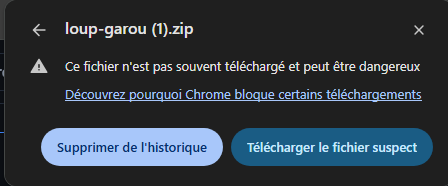
- 1Download the pack with the button above. Chrome may block it ("Suspicious download blocked"): click the alert.

- 2Then "Download suspicious file". The pack only holds two mods, nothing else.
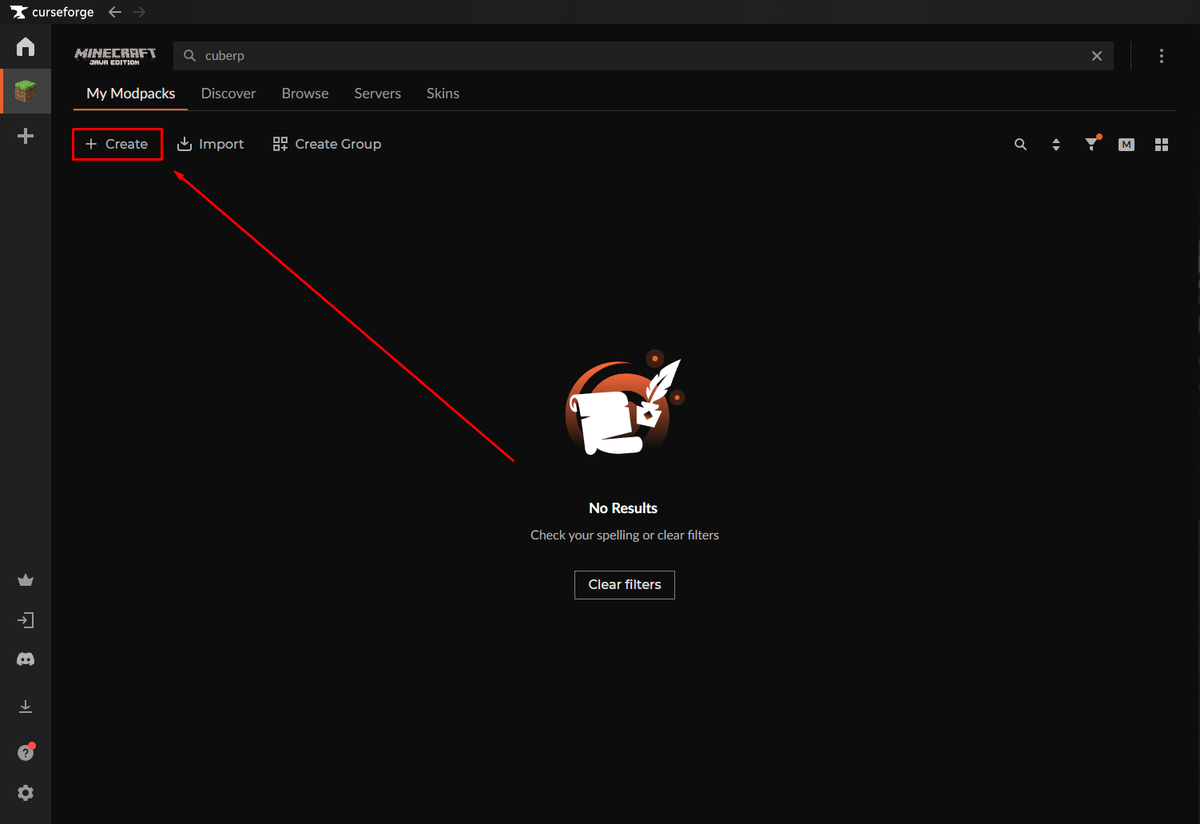
- 3In CurseForge, Minecraft tab, "My Modpacks": click "Create".
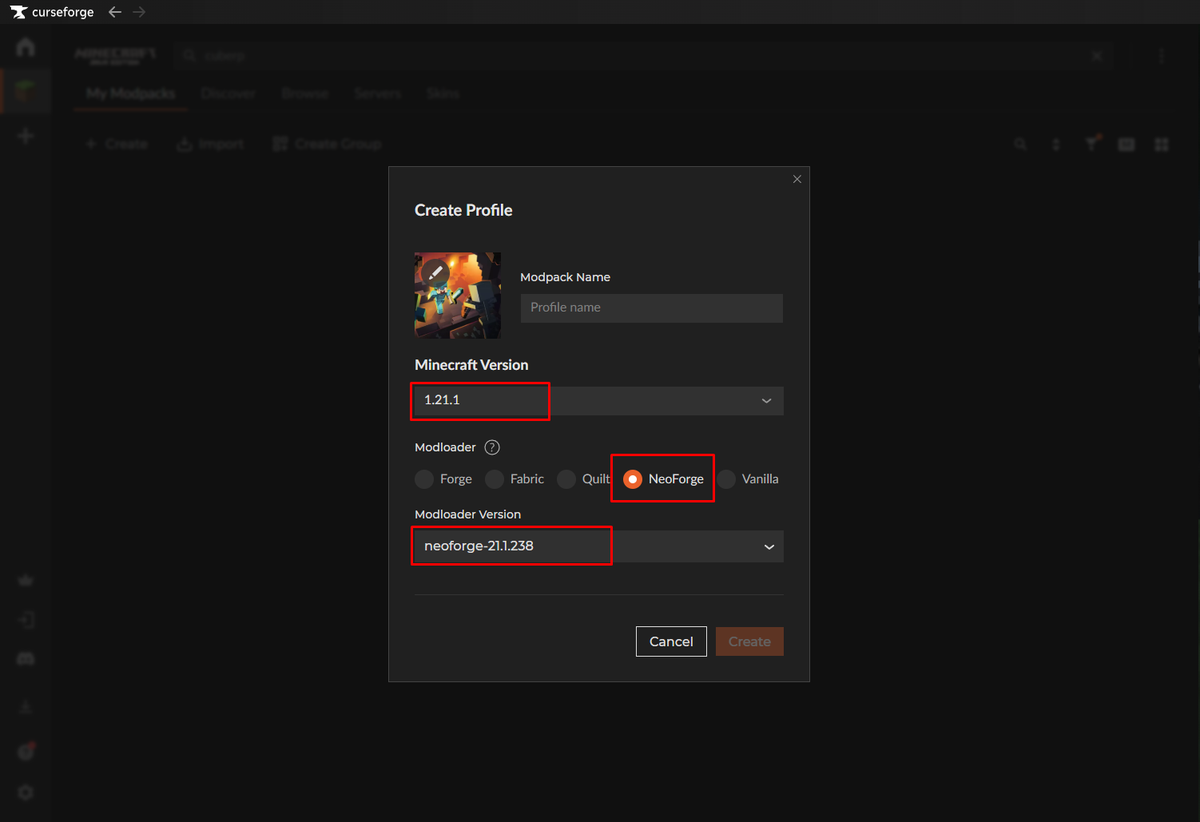
- 4Name the profile (for instance Werewolf), pick Minecraft 1.21.1 and NeoForge, keep the suggested version, then "Create".
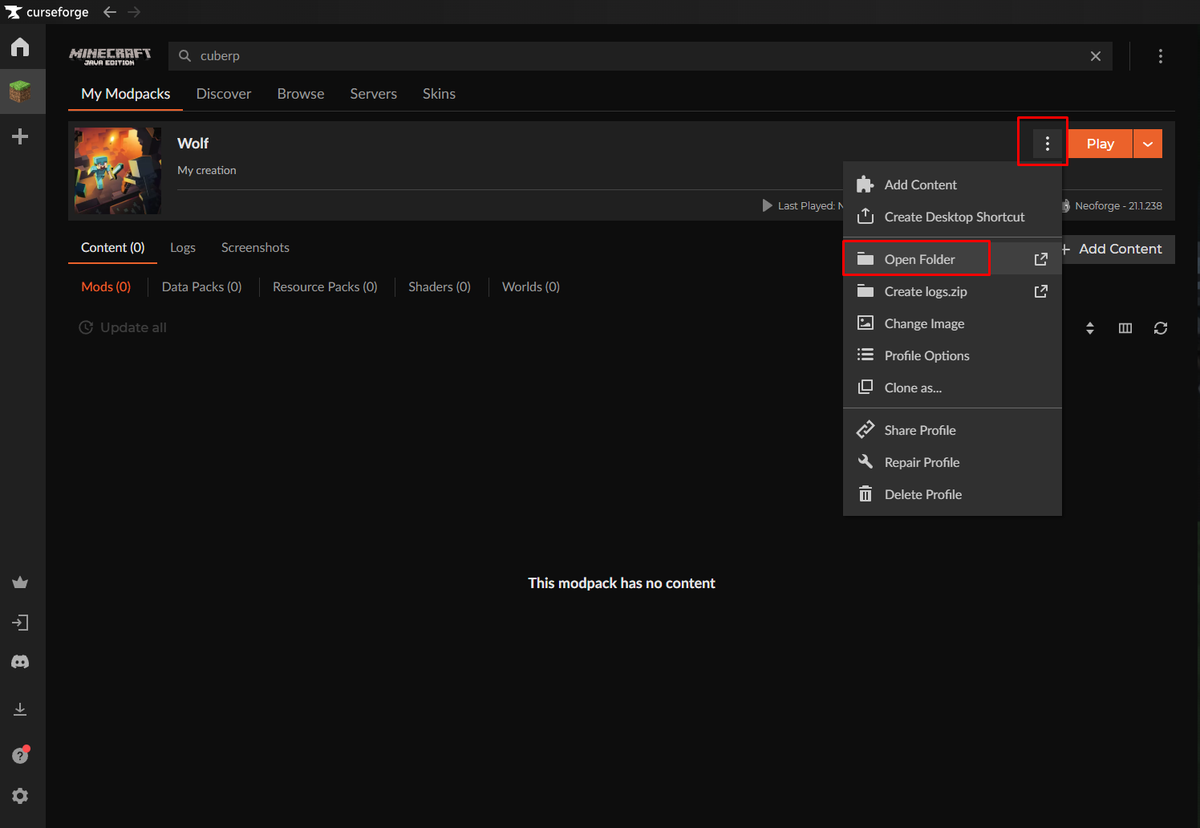
- 5On your new profile, click the three dots next to "Play", then "Open Folder".
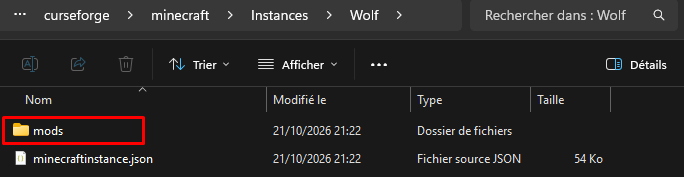
- 6In the folder that opens, go into "mods".
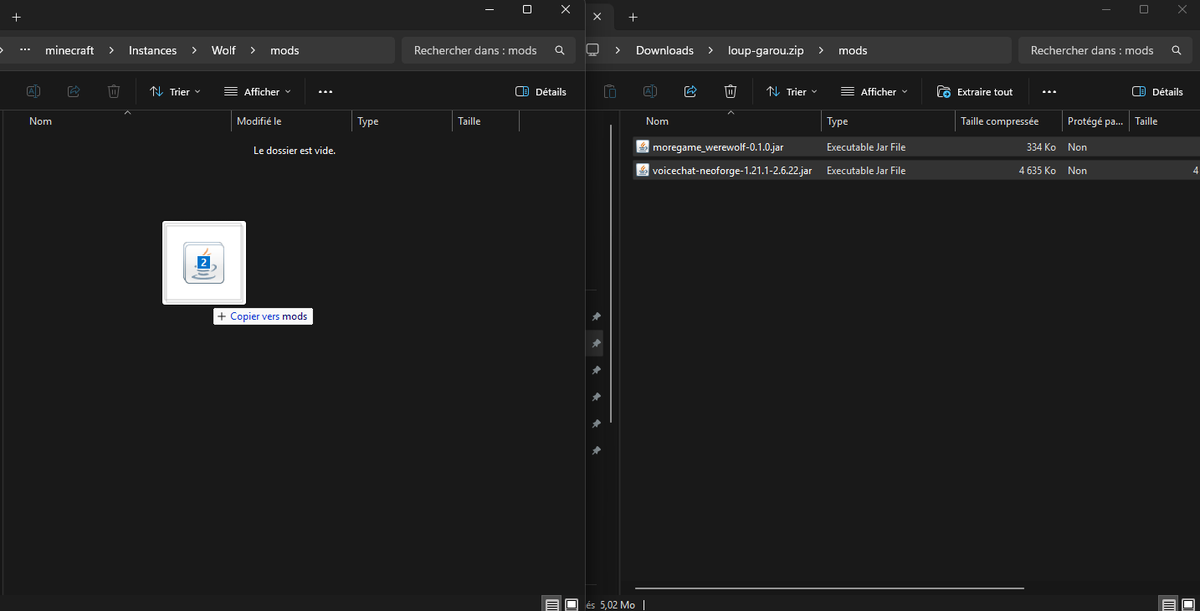
- 7Open the downloaded loup-garou.zip, go into its "mods" folder, and drag both .jar files into the profile's "mods" folder.
- 8Click "Play", then Multiplayer: "Cube RP - Loup-Garou" is already in the list. You arrive at the shelter: ring the bell to start a game.
バージョン 0.1.0-beta · NeoForge 21.1.235
- ステップ 1
クライアントパックをダウンロード
NeoForge のインストーラーとサーバーの Mod が入ったアーカイブです。ほかに探すものはありません。
- ステップ 2
INSTALLER.bat を実行
NeoForge をインストールし(ウィンドウが開いたら「Install client」→ OK)、Mod を正しい場所に入れてくれます。実行する前に Minecraft を閉じてください。
- ステップ 3
正しいプロファイルを選ぶ
Minecraft ランチャーで、プレイする前に「NeoForge 1.21.1」プロファイルを選択してください。
- ステップ 4
サーバーを追加
「マルチプレイ」→「サーバーを追加」で、上にあるベータのアドレスを入力。街の空港に到着します。
インストール中に問題が起きましたか? よくあるケースは FAQ で解説しています。
Cube RP はファンによって作られた独立したプロジェクトです。Mojang Studios および Microsoft とは提携しておらず、承認も受けていません。Minecraft は Microsoft Corporation の商標です。プレイには Minecraft Java Edition の所有が必要です。