Cube RP beitreten
Minecraft Java Edition 1.21.1 und ein Microsoft-Konto reichen. Der Rest steckt im Pack.
Cube RP
Beta Light
Die Stadt, ihre Berufe, ihre Wirtschaft und ihre Polizei. Für alle: keine illegalen Berufe. Das Pack lädt sofort herunter, ohne Konto.
Serveradresse
play.cuberp.fr:25615
Light-Pack herunterladenVollständige Beta
ErwachsenenkontoDieselbe Stadt, dazu die illegalen Berufe. Nur für Erwachsene: Du wirst nach einem Erwachsenenkonto und deinem Geburtsdatum gefragt.
play.cuberp.fr
Vollständiges Pack herunterladenWerewolf
The party game around a campfire: at night you close your eyes and hear the werewolves walk. You can start a game even alone: dummies fill the table.
Serveradresse
play.cuberp.fr:25640
Download the Werewolf packInstallation guide (CurseForge)
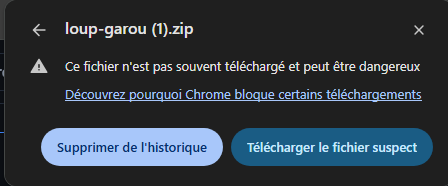
- 1Download the pack with the button above. Chrome may block it ("Suspicious download blocked"): click the alert.

- 2Then "Download suspicious file". The pack only holds two mods, nothing else.
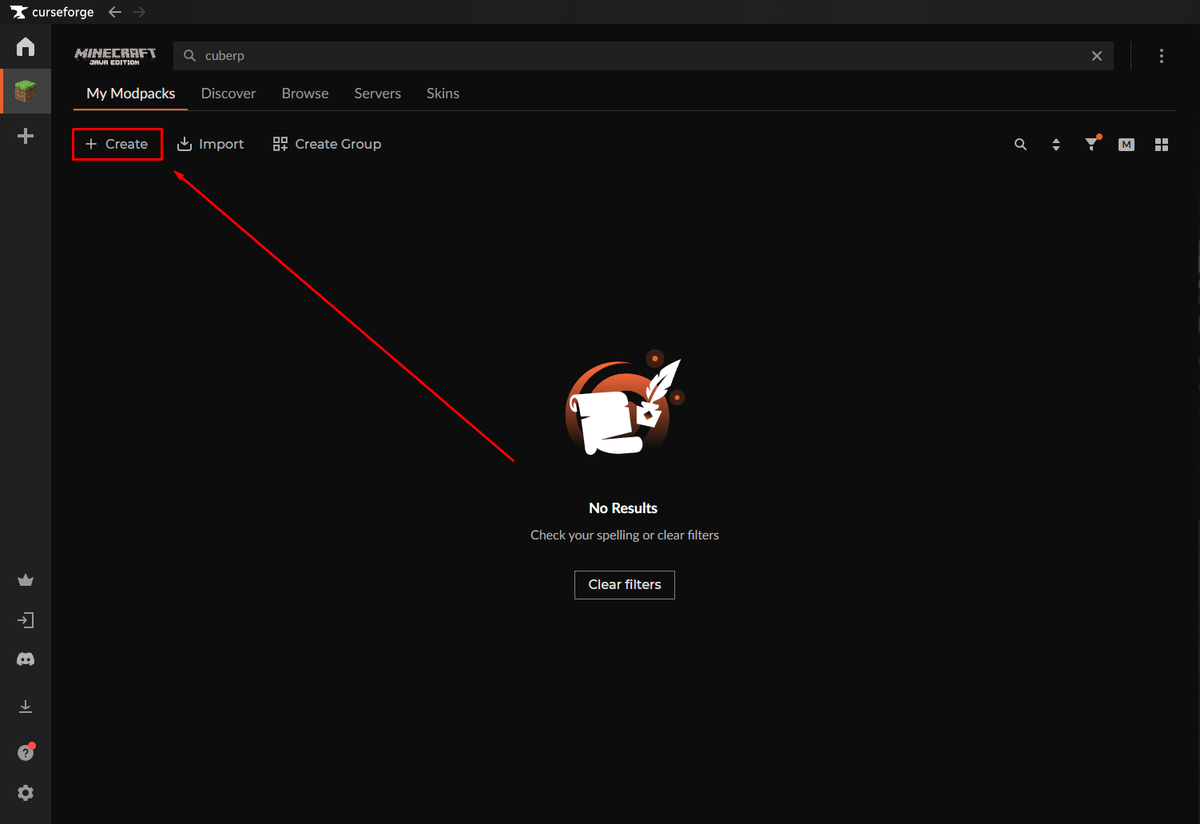
- 3In CurseForge, Minecraft tab, "My Modpacks": click "Create".
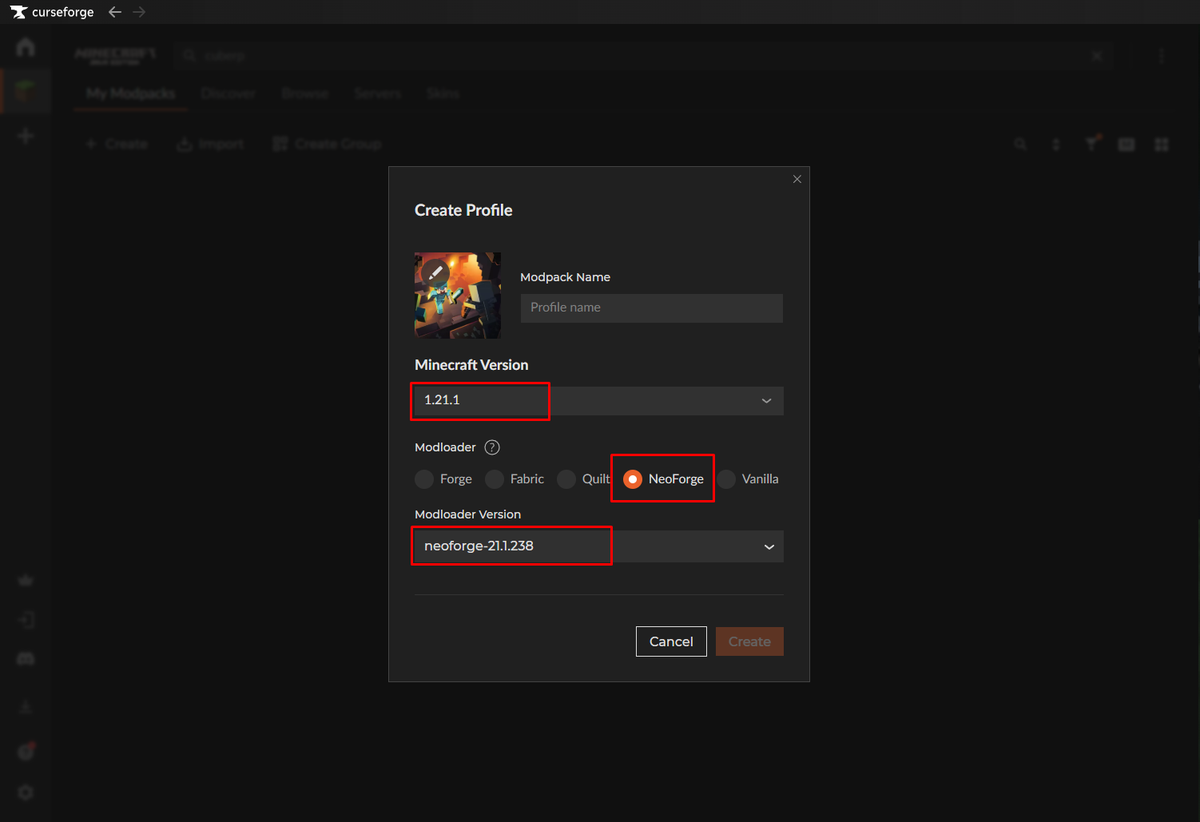
- 4Name the profile (for instance Werewolf), pick Minecraft 1.21.1 and NeoForge, keep the suggested version, then "Create".
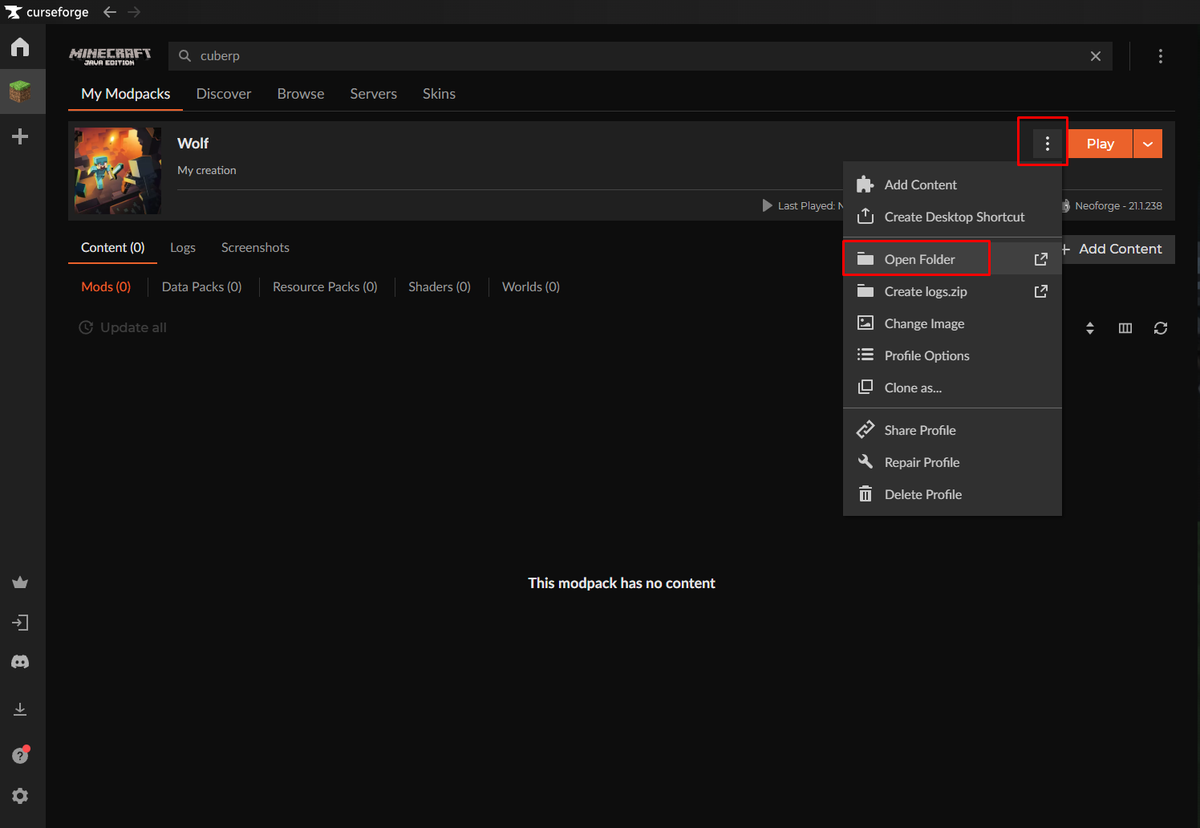
- 5On your new profile, click the three dots next to "Play", then "Open Folder".
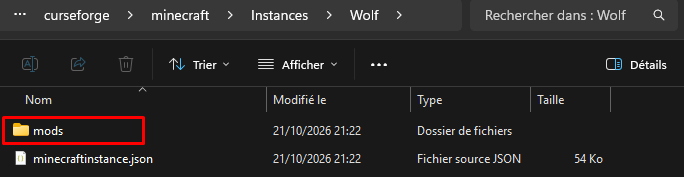
- 6In the folder that opens, go into "mods".
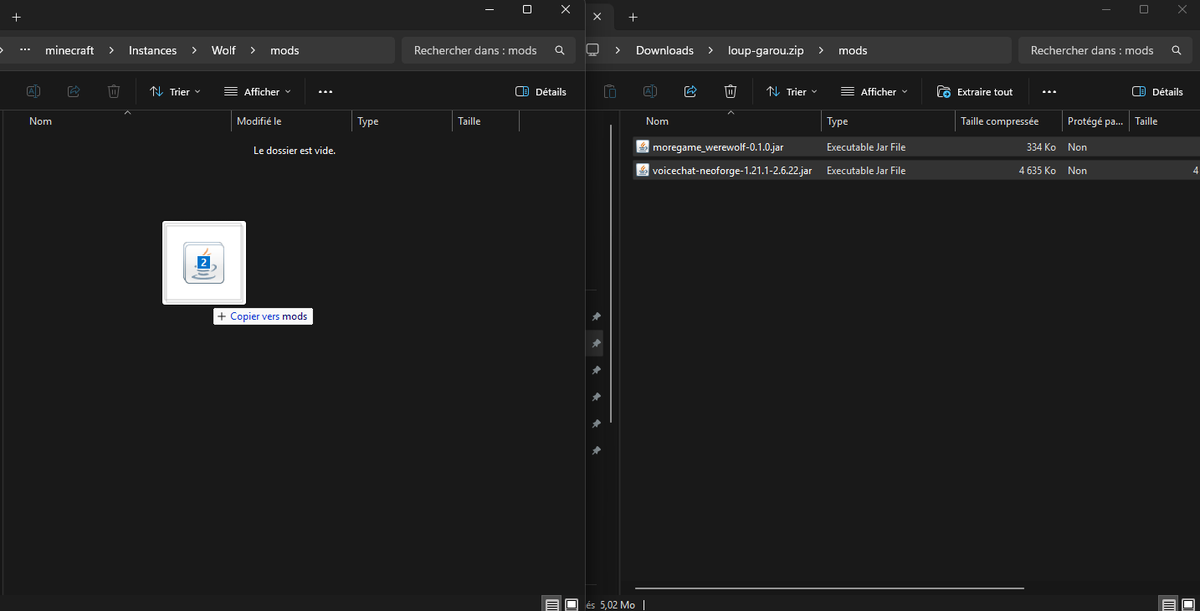
- 7Open the downloaded loup-garou.zip, go into its "mods" folder, and drag both .jar files into the profile's "mods" folder.
- 8Click "Play", then Multiplayer: "Cube RP - Loup-Garou" is already in the list. You arrive at the shelter: ring the bell to start a game.
Version 0.1.0-beta · NeoForge 21.1.235
- Schritt 1
Client-Pack herunterladen
Ein Archiv mit dem NeoForge-Installer und den Mods des Servers. Sonst musst du nirgends etwas suchen.
- Schritt 2
INSTALLER.bat starten
Es installiert NeoForge (ein Fenster öffnet sich: „Install client“, dann OK) und legt die Mods an die richtige Stelle. Schließ Minecraft, bevor du es startest.
- Schritt 3
Das richtige Profil wählen
Wähle im Minecraft-Launcher vor dem Spielen das Profil „NeoForge 1.21.1“.
- Schritt 4
Server hinzufügen
Mehrspieler, dann „Server hinzufügen“ und die Adresse deiner Beta von oben. Du landest am Flughafen der Stadt.
Probleme bei der Installation? Die FAQ beantwortet die häufigsten Fälle.
Cube RP ist ein unabhängiges Fanprojekt. Es steht in keiner Verbindung zu Mojang Studios oder Microsoft und wird von ihnen nicht unterstützt. Minecraft ist eine Marke der Microsoft Corporation. Zum Spielen brauchst du Minecraft Java Edition.