Cube RP 참여하기
Minecraft Java Edition 1.21.1과 Microsoft 계정만 있으면 돼요. 나머지는 모두 팩에 들어 있어요.
Cube RP
베타 Light
도시, 직업, 경제, 경찰. 전체 이용가: 불법 직업은 없습니다. 계정 없이 바로 팩을 내려받을 수 있습니다.
서버 주소
play.cuberp.fr:25615
Light 팩 다운로드Werewolf
The party game around a campfire: at night you close your eyes and hear the werewolves walk. You can start a game even alone: dummies fill the table.
서버 주소
play.cuberp.fr:25640
Download the Werewolf packInstallation guide (CurseForge)
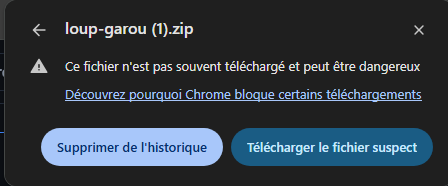
- 1Download the pack with the button above. Chrome may block it ("Suspicious download blocked"): click the alert.

- 2Then "Download suspicious file". The pack only holds two mods, nothing else.
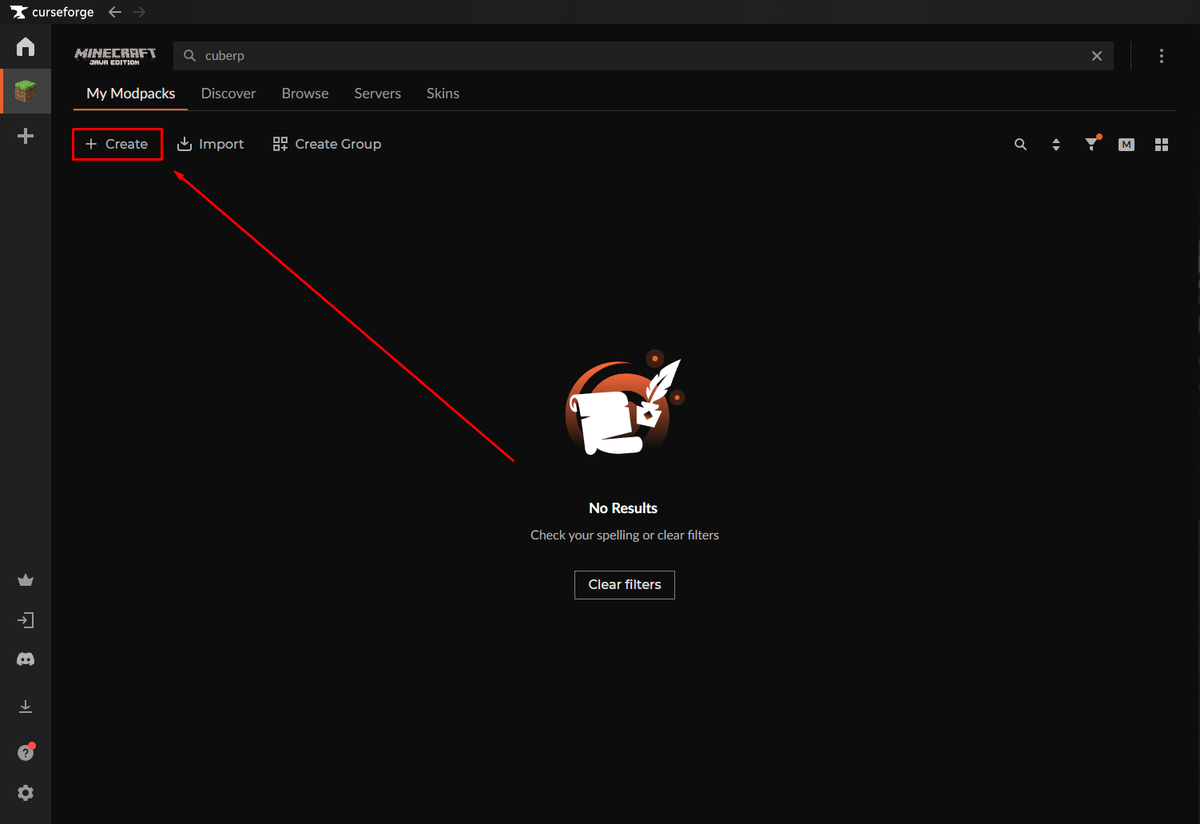
- 3In CurseForge, Minecraft tab, "My Modpacks": click "Create".
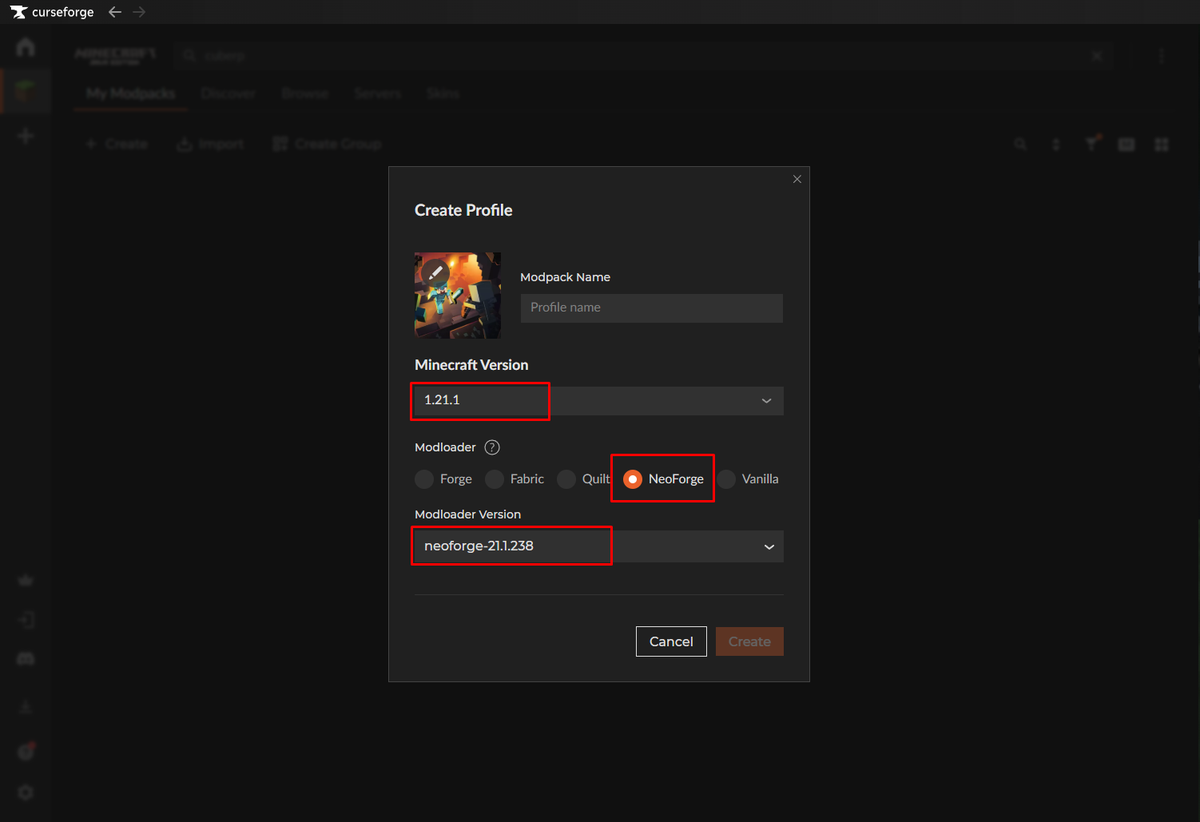
- 4Name the profile (for instance Werewolf), pick Minecraft 1.21.1 and NeoForge, keep the suggested version, then "Create".
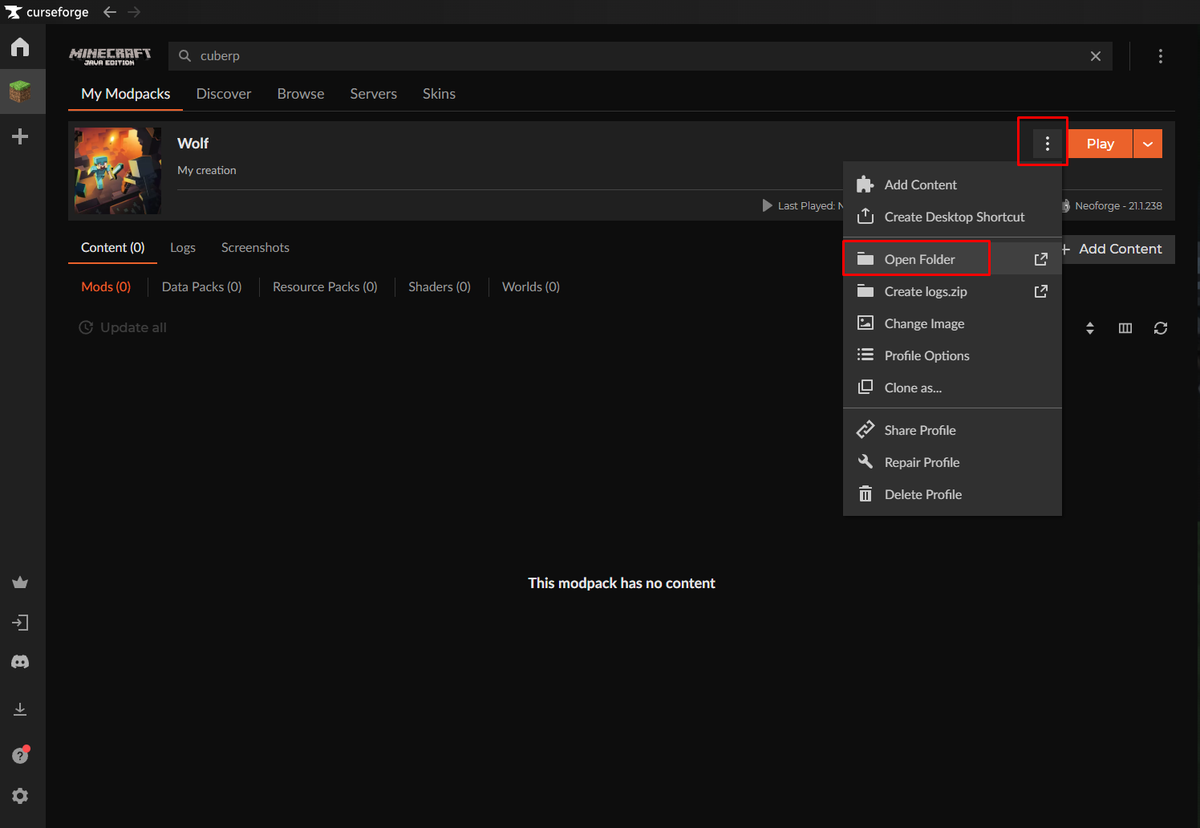
- 5On your new profile, click the three dots next to "Play", then "Open Folder".
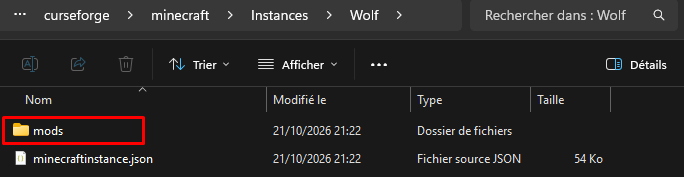
- 6In the folder that opens, go into "mods".
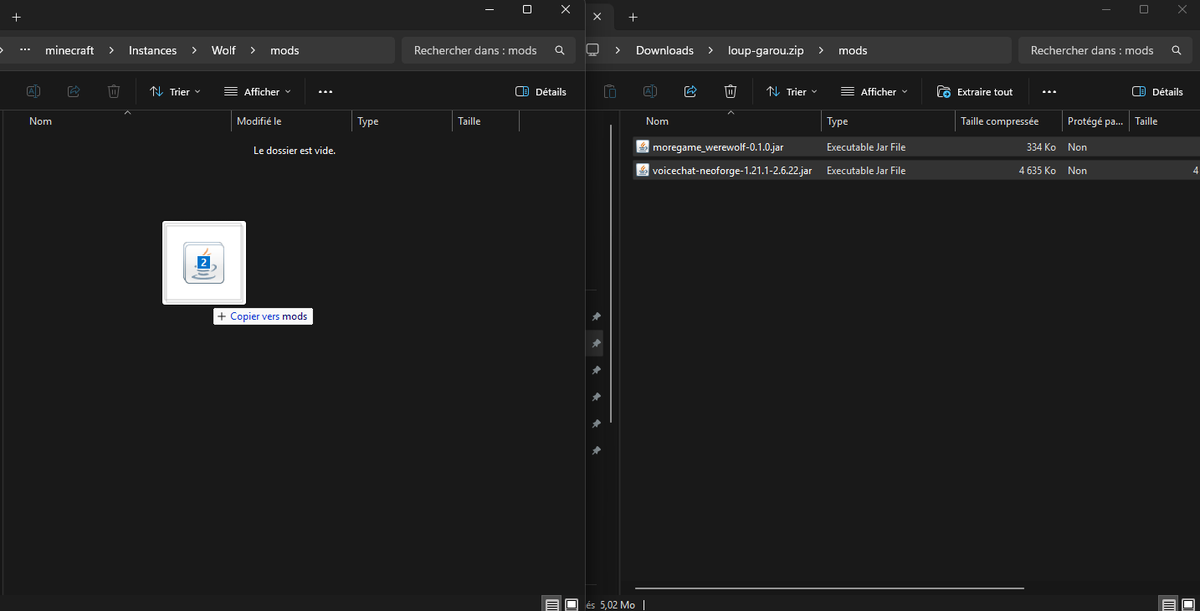
- 7Open the downloaded loup-garou.zip, go into its "mods" folder, and drag both .jar files into the profile's "mods" folder.
- 8Click "Play", then Multiplayer: "Cube RP - Loup-Garou" is already in the list. You arrive at the shelter: ring the bell to start a game.
버전 0.1.0-beta · NeoForge 21.1.235
- 1단계
클라이언트 팩 다운로드
NeoForge 설치 프로그램과 서버 모드가 들어 있는 압축 파일 하나예요. 다른 데서 찾을 건 없어요.
- 2단계
INSTALLER.bat 실행
NeoForge를 설치하고(창이 열리면 「Install client」 → OK) 모드를 제자리에 넣어 줘요. 실행하기 전에 Minecraft를 닫으세요.
- 3단계
올바른 프로필 선택
Minecraft 런처에서 플레이를 누르기 전에 「NeoForge 1.21.1」 프로필을 선택하세요.
- 4단계
서버 추가
멀티플레이 → '서버 추가'에서 위에 있는 베타 주소를 입력하세요. 도시의 공항에 도착합니다.
설치 중에 문제가 생겼나요? FAQ에서 자주 생기는 문제를 확인하세요.
Cube RP는 팬이 만든 독립 프로젝트예요. Mojang Studios 또는 Microsoft와 제휴하거나 승인을 받지 않았어요. Minecraft는 Microsoft Corporation의 상표예요. 플레이하려면 Minecraft Java Edition이 있어야 해요.