Unirse a Cube RP
Basta con Minecraft Java Edition 1.21.1 y una cuenta Microsoft. Todo lo demás está en el pack.
Cube RP
Beta Light
La ciudad, sus oficios, su economía y su policía. Para todos los públicos: ningún oficio ilegal. El pack se descarga directamente, sin cuenta.
Dirección del servidor
play.cuberp.fr:25615
Descargar el pack LightBeta completa
Cuenta de adultoLa misma ciudad, con los oficios ilegales además. Solo para adultos: se te pedirá una cuenta de adulto y tu fecha de nacimiento.
play.cuberp.fr
Descargar el pack completoWerewolf
The party game around a campfire: at night you close your eyes and hear the werewolves walk. You can start a game even alone: dummies fill the table.
Dirección del servidor
play.cuberp.fr:25640
Download the Werewolf packInstallation guide (CurseForge)
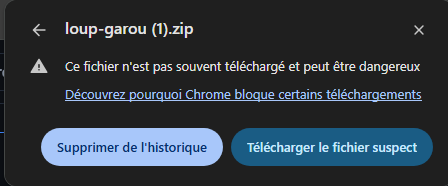
- 1Download the pack with the button above. Chrome may block it ("Suspicious download blocked"): click the alert.

- 2Then "Download suspicious file". The pack only holds two mods, nothing else.
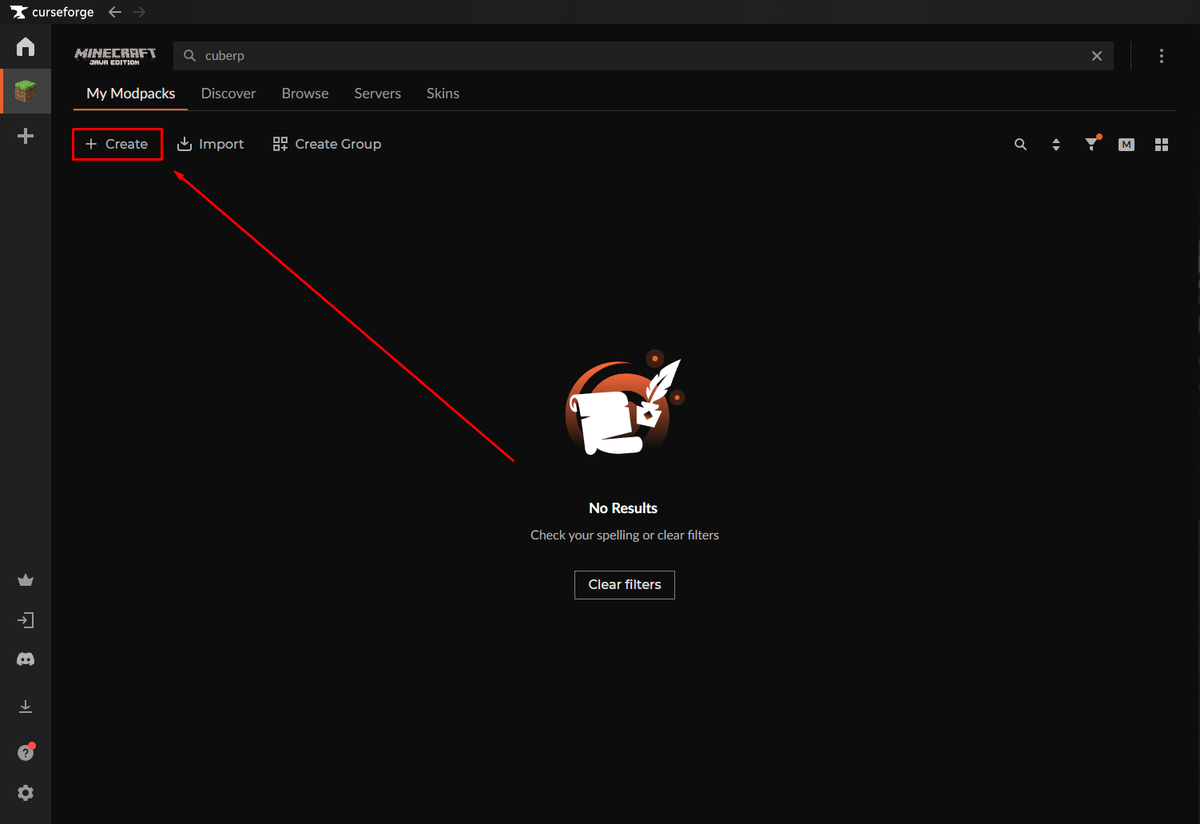
- 3In CurseForge, Minecraft tab, "My Modpacks": click "Create".
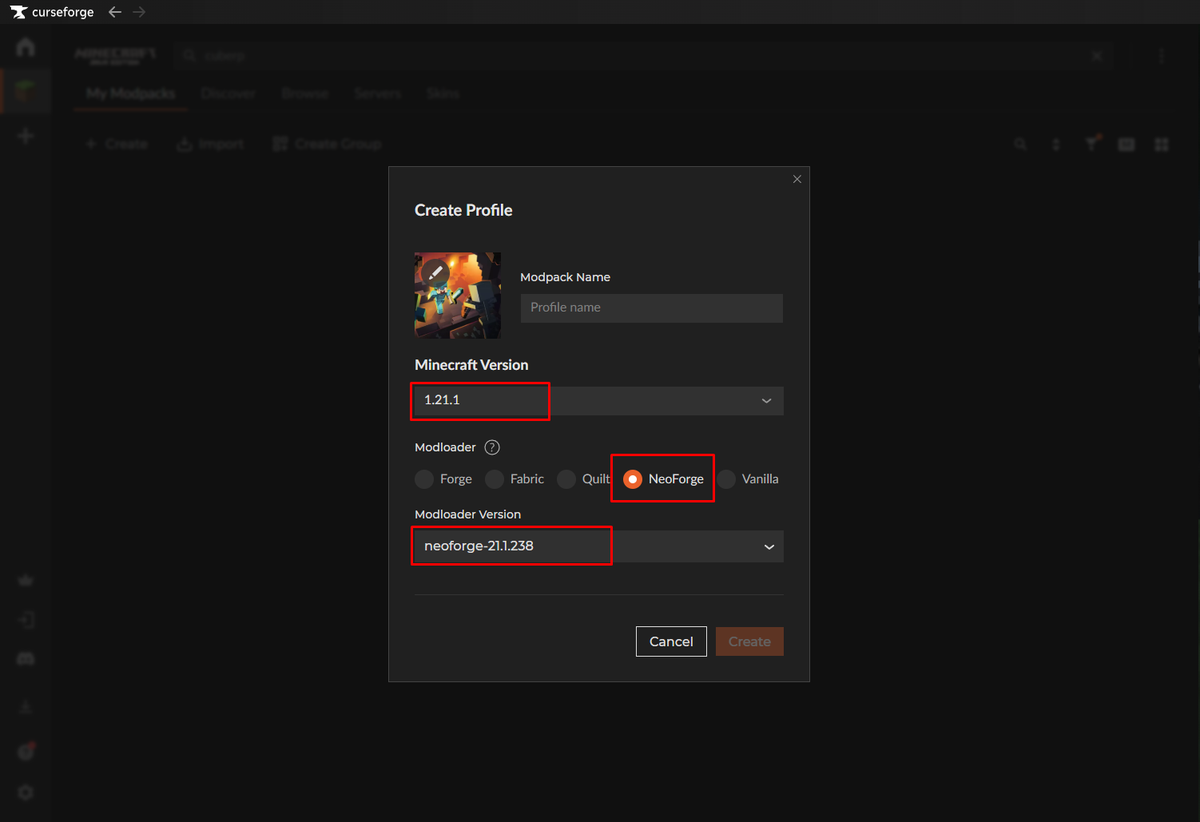
- 4Name the profile (for instance Werewolf), pick Minecraft 1.21.1 and NeoForge, keep the suggested version, then "Create".
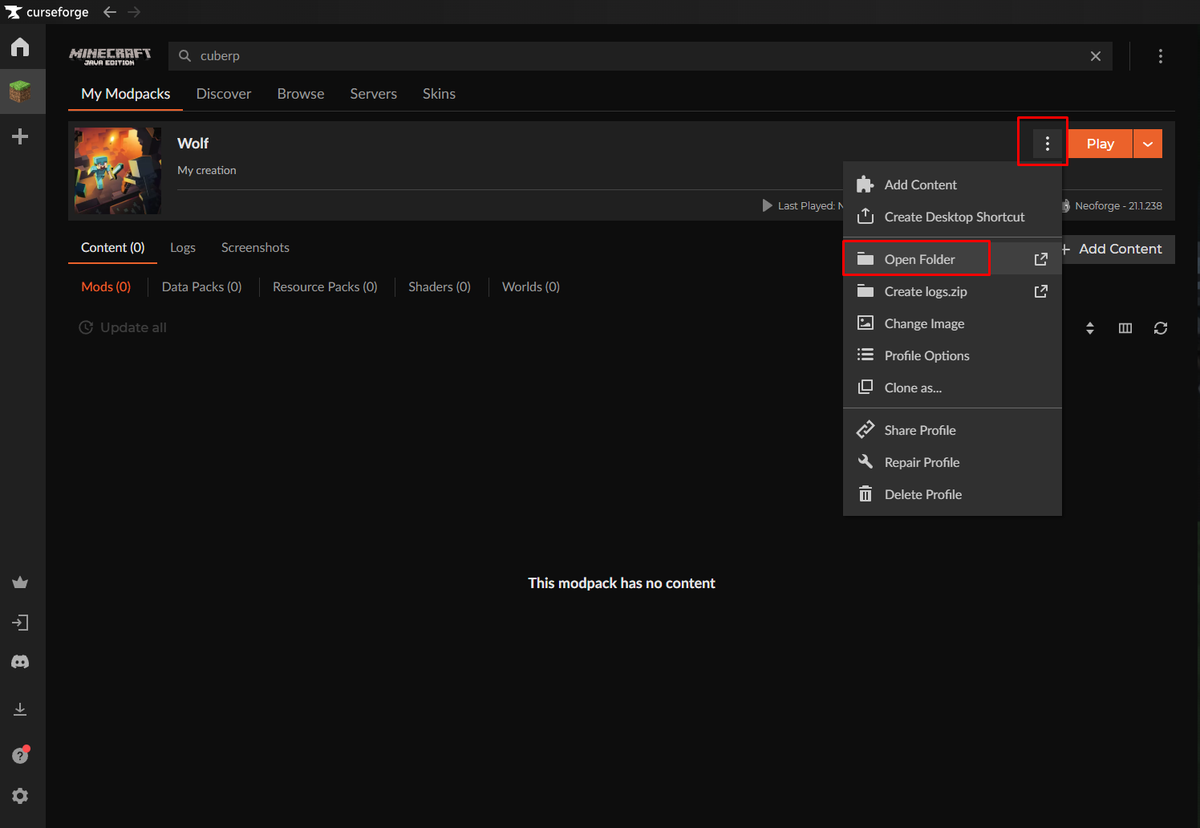
- 5On your new profile, click the three dots next to "Play", then "Open Folder".
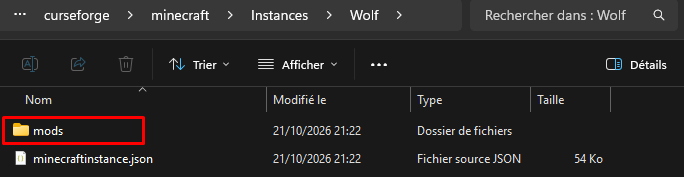
- 6In the folder that opens, go into "mods".
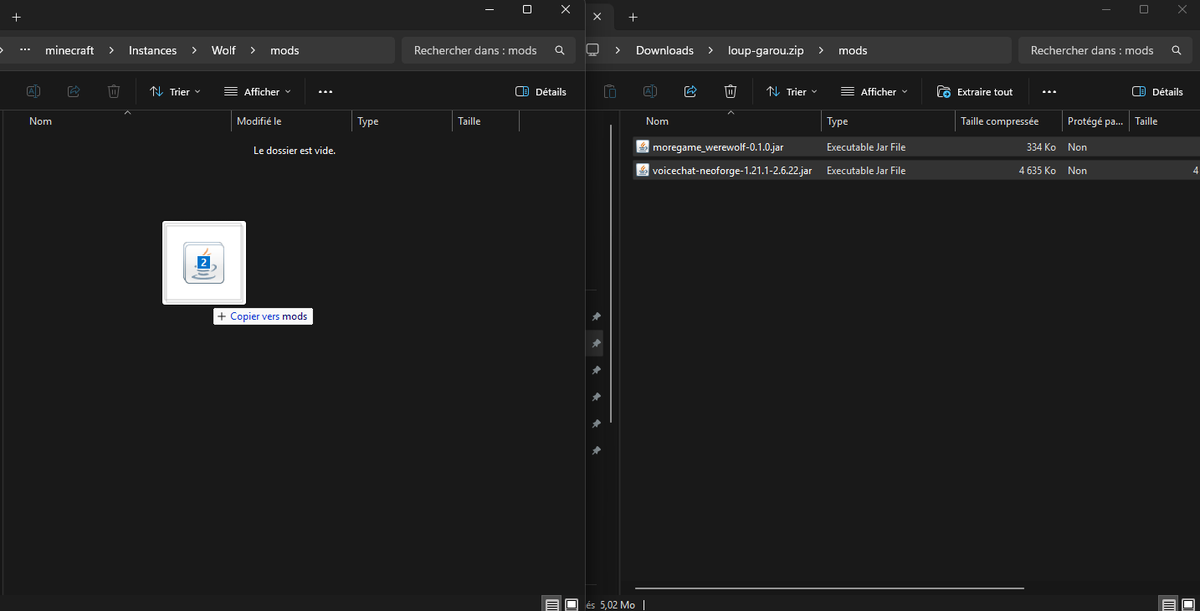
- 7Open the downloaded loup-garou.zip, go into its "mods" folder, and drag both .jar files into the profile's "mods" folder.
- 8Click "Play", then Multiplayer: "Cube RP - Loup-Garou" is already in the list. You arrive at the shelter: ring the bell to start a game.
Versión 0.1.0-beta · NeoForge 21.1.235
- Paso 1
Descargar el pack cliente
Un archivo que contiene el instalador de NeoForge y los mods del servidor. Nada más que buscar en otra parte.
- Paso 2
Ejecutar INSTALLER.bat
Instala NeoForge (se abre una ventana: «Install client» y luego OK) y coloca los mods en su sitio. Cierra Minecraft antes de ejecutarlo.
- Paso 3
Elegir el perfil correcto
En el launcher de Minecraft, selecciona el perfil «NeoForge 1.21.1» antes de jugar.
- Paso 4
Añadir el servidor
Multijugador, luego «Añadir servidor», y la dirección de tu beta, más arriba. Llegarás al aeropuerto de la ciudad.
¿Algún problema durante la instalación? Las preguntas frecuentes resuelven los casos más habituales.
Cube RP es un proyecto independiente creado por fans. No está afiliado a Mojang Studios ni a Microsoft, ni cuenta con su aprobación. Minecraft es una marca de Microsoft Corporation. Para jugar es necesario poseer Minecraft Java Edition.